Proxmox vs VMware ESXi open source comparison for…
Infrastructure administrators evaluating hypervisor options must examine the shift toward open-source platforms as licensing terms change across the industry. Organizations historically relied on proprietary hypervisors for virtual machine deployment, but recent shifts in software ownership require a thorough evaluation of alternative architectures. Proxmox Virtual Environment entered the market in 2008 with an approach that combined containerization and full virtualization under an open model. Broadcom acquired VMware and subsequently restructured product availability, prompting many systems architects to reconsider their software stack. This analysis examines the technical specifications, licensing structures, backup capabilities, clustering functionality, and community support frameworks of both platforms.
Licensing Architecture and Source Availability
Software licensing determines the long-term operational budget for any data center deployment. Proxmox VE operates under the GNU Affero General Public License version 3. The source code is publicly accessible, allowing engineers to audit, modify, and deploy the software without upfront acquisition costs. Subscriptions apply to enterprise repository access, ticket-based support, and indemnification rather than core feature access. Conversely, VMware ESXi operates as proprietary software. Broadcom altered the commercial model by adjusting access to standalone builds. While a free hypervisor option exists under specific conditions, enterprise environments typically require commercial agreements. Readers can review official specifications directly on the Proxmox Features Page.
The distinction between source availability and proprietary control directly impacts compliance and auditing. Administrators utilizing Proxmox VE operate within a transparent code repository where kernel modifications and module compilation remain fully visible. VMware ESXi relies on a closed-source model maintained exclusively by vendor development teams. Security patches and bug fixes depend entirely on the release schedule dictated by the vendor. Organizations managing strict regulatory compliance often prefer open alternatives because security personnel can inspect the underlying source code for vulnerabilities or backdoors. Commercial constraints in proprietary platforms can introduce unexpected budget spikes during standard hardware renewal cycles.
Core Virtualization Technologies
Proxmox VE relies on a Debian GNU/Linux base utilizing a customized Linux kernel. The platform integrates two distinct virtualization methodologies within a single management interface. Kernel-based Virtual Machine manages full hardware virtualization, allowing administrators to run diverse operating systems like Microsoft Windows or alternative Linux distributions with dedicated virtual hardware. Simultaneously, Linux Containers provide operating-system-level virtualization for lightweight workloads sharing the host kernel. This dual approach optimizes resource utilization on physical servers.
VMware ESXi functions as a bare-metal Type-1 hypervisor. It runs directly on server hardware without requiring an underlying general-purpose operating system. ESXi manages CPU scheduling, memory allocation, and storage access through its proprietary VMkernel architecture. While this design delivers high performance for virtual machines, it lacks native support for unprivileged containers. Administrators requiring container workloads on ESXi must deploy supplementary virtual machines running a guest operating system, which introduces additional overhead compared to the integrated container model found in Proxmox VE. Detailed documentation on these architectures is outlined in the Proxmox Administration Guide.
Management Interfaces and API Capabilities
Managing large infrastructure clusters requires reliable administrative tools. Proxmox VE includes an integrated web-based management interface built directly into every node. Administrators can manage virtual machines, containers, software-defined storage, and network settings through a single dashboard without installing external client software. The platform also provides a standard command-line interface and a REST API for automation scripts. This eliminates the necessity of purchasing separate management suites for basic cluster administration.
VMware traditionally split management between the ESXi host client for individual servers and vCenter Server for multi-node deployments. While the ESXi host client permits basic virtual machine configuration, advanced features require vCenter deployment. Broadcom documentation details specific distribution models for VMware ESXi Update Releases. Automation in the VMware environment relies heavily on PowerCLI and vSphere APIs. However, license tiers dictate which API functions remain accessible to administrators, restricting advanced orchestration scripts in entry-level deployments.
High Availability and Storage Replication
Business continuity depends on reliable failover mechanisms and disaster recovery strategies. Proxmox VE includes native high availability clustering powered by Corosync. If a physical node fails, the cluster automatically restarts affected virtual machines and containers on surviving nodes. Shared storage configurations utilize Ceph, ZFS, or standard NFS/iSCSI targets. Proxmox supports asynchronous storage replication between nodes without shared storage arrays, simplifying disaster recovery setups for smaller branch offices.
Enterprise virtualization environments demand dependable storage integration. VMware provides high availability through vSphere HA and distributed resource scheduling. These tools monitor cluster health and migrate workloads based on resource contention. However, these advanced features require upper-tier licensing agreements. Proxmox includes clustering, live migration, and storage replication without artificial feature gates. Administrators can review the structural breakdown on the Proxmox Comparison Page.
Backup and Restore Operations
Data protection routines form the foundation of administrative security. Proxmox VE features an integrated backup client known as Proxmox Backup Server integration. This tool supports incremental backups, client-side deduplication, and authenticated encryption. Administrators configure backup schedules directly within the web interface without procuring third-party backup software. Restoring virtual machines or individual files requires minimal effort due to the native indexing structure.
VMware relies on vSphere Storage APIs for Data Protection to interface with external backup vendors. While this platform supports enterprise backup products like Veeam or Commvault, it introduces additional software licensing costs and deployment complexity. Organizations must manage separate backup appliances and licensing agreements alongside their hypervisor infrastructure. Proxmox integrates these functions natively, reducing the total cost of ownership for small and medium enterprises. Additional background on project origins is available through Proxmox About Information.
Hardware Compatibility and Driver Support
Deploying hypervisors across diverse server hardware requires extensive driver support. Proxmox VE inherits its hardware compatibility list directly from Debian Linux. Most standard server components, network interface cards, and storage controllers function immediately out of the box. If a specific driver is missing, administrators can compile kernel modules manually or install standard Linux firmware packages directly from the command line.
VMware ESXi maintains a rigorous Hardware Compatibility List. The VMkernel includes a specialized driver model developed specifically for enterprise server hardware. While this ensures exceptional stability on certified enterprise servers, older hardware or white-box servers often lack official support. Installing ESXi on non-certified motherboards or network adapters frequently results in PSOD errors during boot sequences. Administrators must verify hardware compatibility strictly before deploying ESXi in production environments.
Community Support and Enterprise Subscriptions
Evaluating support models ensures that technical issues receive timely resolution during critical outages. Proxmox maintains an active community forum where engineers share troubleshooting steps, configuration guides, and scripts. Commercial support customers access official enterprise repositories and direct ticketing systems backed by Proxmox engineers. The pricing model scales based on server socket counts rather than core allocations or virtual machine quantities. Detailed pricing tiers are outlined on the Proxmox Pricing Page.
VMware support relies heavily on tiered service-level agreements managed through the vendor portal. Following recent corporate restructuring, response times and support availability have shifted for various customer segments. Community forums remain active, but finding documentation for older free versions requires navigating complex knowledge bases. Enterprise customers typically engage certified partners for deployment and maintenance contracts.
Key Takeaways
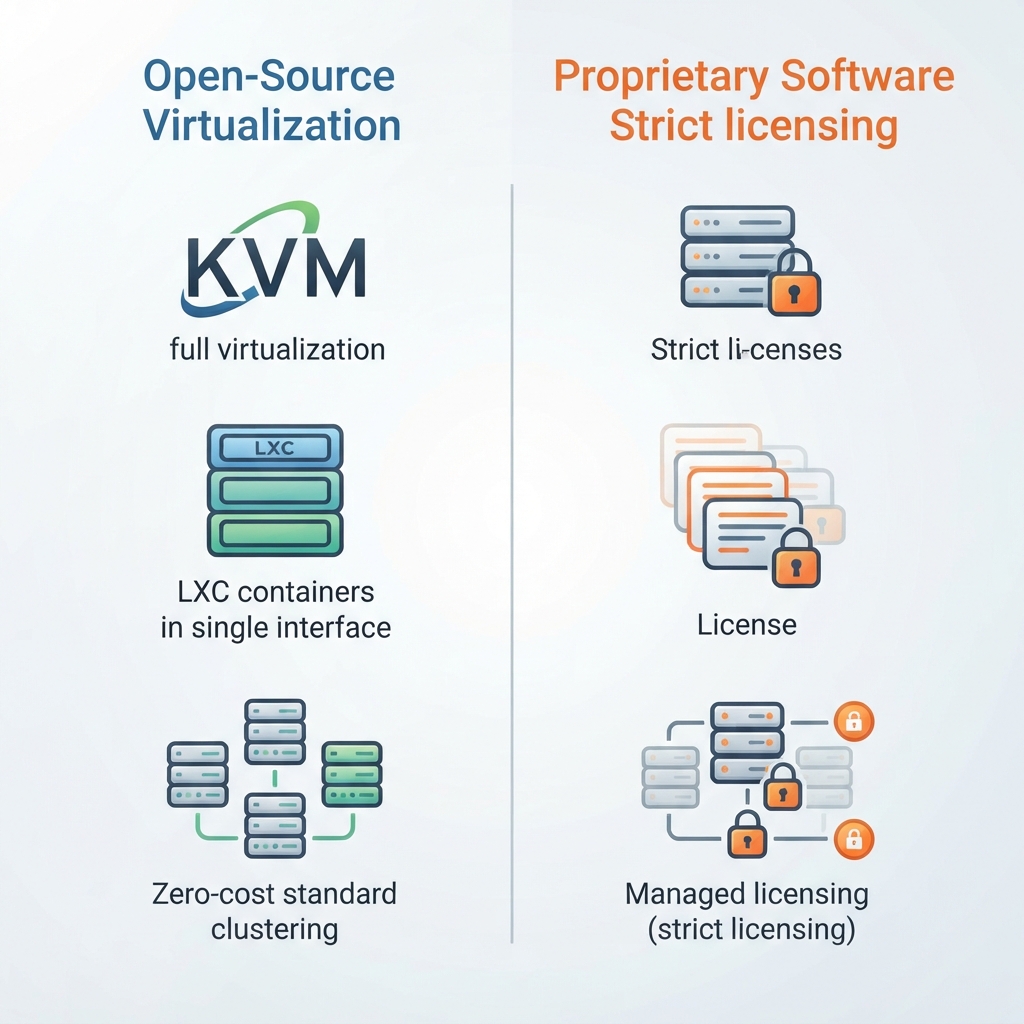
- Proxmox VE utilizes an open-source model under the AGPLv3 license, eliminating mandatory core licensing fees.
- VMware ESXi employs a proprietary model with strict license tiering managed by Broadcom.
- Proxmox combines KVM full virtualization and LXC containers within a single web interface.
- ESXi relies on a bare-metal VMkernel architecture without native unprivileged container support.
- Backup functionality and clustering features come standard in Proxmox without auxiliary licensing costs.
What is Proxmox VE?
Proxmox VE is an open-source server virtualization management platform based on Debian Linux. It integrates KVM hypervisor technology and Linux Containers, offering a unified web interface for managing compute, storage, and networking resources across enterprise clusters.
How does VMware ESXi licensing work?
VMware ESXi is proprietary software managed by Broadcom. Enterprise features require paid licenses tied to server sockets or subscription bundles, while standalone installations face significant restrictions regarding management APIs and backup integration.
Can Proxmox replace VMware in enterprise environments?

Yes, Proxmox serves as a viable enterprise replacement for VMware ESXi in many organizations. It delivers native high availability, live migration, software-defined storage via Ceph, and integrated backup capabilities without proprietary licensing restrictions.
What backup features are included in Proxmox?
Proxmox includes an integrated backup utility that supports incremental backups, compression, encryption, and deduplication through Proxmox Backup Server integration. Administrators schedule and execute restores directly from the management console.
How do hardware requirements differ between the two hypervisors?
Proxmox benefits from the extensive driver support of the Linux kernel, making it compatible with a wide range of standard server hardware. VMware ESXi enforces strict hardware compatibility lists, requiring certified server components for stable operation.
Is Proxmox completely free to use?
Proxmox software is free to download and use under the AGPLv3 license. Organizations purchase subscriptions primarily for access to stable enterprise software repositories, official technical support tickets, and indemnification services.
Organizations transitioning from proprietary hypervisors to open-source alternatives must plan their migration paths carefully. Moving virtual machines between distinct hypervisor architectures involves converting disk formats, reconfiguring virtual network interfaces, and validating application performance after migration. Proxmox VE accommodates these operational shifts by supporting standard virtual disk formats, simplifying the migration of existing virtual machines from external platforms. System administrators can use community documentation and migration scripts available in the Proxmox Administration Guide to execute direct cutover windows.
Ultimately, the choice between Proxmox VE and VMware ESXi depends on an organization’s budgetary constraints, internal Linux competencies, and regulatory compliance mandates. While ESXi remains a dominant proprietary product backed by extensive enterprise partnerships, Proxmox VE offers an open-source alternative. By combining KVM virtualization, LXC containers, software-defined storage, and native high availability within a transparent licensing model, Proxmox provides modern data centers with a flexible foundation for scalable enterprise virtualization.
Thorough planning ensures a successful long-term infrastructure strategy.
Thorough planning ensures a successful long-term infrastructure strategy.


